
3 Jul, 2026
What are SCAN LINES for VIDEO WALL, and how to eliminate?
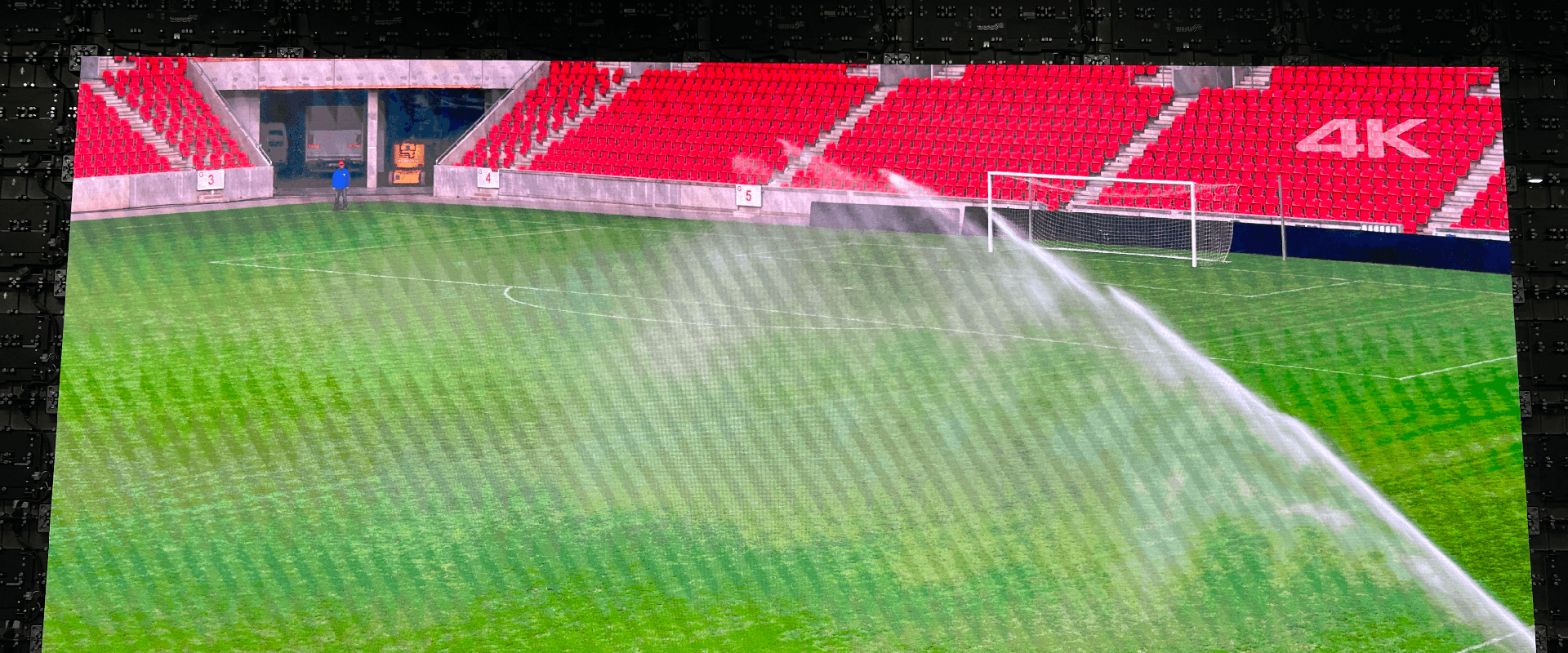
Scan lines on LED screens are scrolling black horizontal bands that appear when filming displays using a camera. They occur because LED screens refresh rows of pixels sequentially (time-division scanning), which conflicts with a camera's high-speed rolling or global shutter exposing only a fraction of the full screen frame.
1.The Two Main Types of Scanning
• Static Scanning (1-to-1): Each pixel has a dedicated driver circuit. It eliminates row-by-row timing inconsistencies, delivering maximum brightness and zero flicker. However, it requires significantly more driver chips, making it expensive. It is typically used for high-end outdoor displays and critical broadcasts.• Dynamic Scanning (Multiplexing): Driver ICs alternate between rows, lighting them up in rapid sequence. For example, a 1/32 scan means 32 rows of LEDs share a single driver pin, with only 1 in 32 rows active at any given millisecond. This reduces cost and energy consumption but can lead to a slight loss in brightness and potential on-camera flicker.
2.Why Cameras "See" Scan Lines
To the human eye, the rapid row-by-row flashing creates the illusion of a steady image due to the persistence of vision. However, camera sensors and LED panels do not always play nice.• Shutter Speed Mismatch: Scan lines occur when the camera's exposure or shutter speed captures an incomplete state of the LED screen's scanning process.
• Moiré vs. Scan Lines: Scan lines should not be confused with Moiré, which is an overlapping interference pattern (creating watered silk or warped grids) that happens when the pixel grid of the screen aligns too perfectly with the camera's own pixels.
3.Common Shooting Artifacts
When filming LED screens, you will often encounter two distinct issues:• Scan Lines: Solid black horizontal bands that scroll vertically across your footage. They are purely an exposure issue tied to your shutter speed.
• Moiré Patterns: Irregular, rippling, wavy patterns (resembling watered silk) caused by the physical interference between the LED's pixel pitch and the camera sensor's pixel grid.
4.How to Eliminate Scan Lines?
If you are trying to film an LED screen without getting black horizontal bands or flicker, try the following techniques:a. Adjust Shutter Speed: Synchronize your camera's shutter speed with the LED's refresh rate. If you are struggling with a sync issue, lowering your shutter speed (e.g., to 1/50 or 1/60) allows the camera to capture multiple screen passes, thereby wiping out the black bands.
b. Increase the Refresh Rate: Use an LED panel with a high PWM (Pulse Width Modulation) refresh rate, such as 3840Hz or 7680Hz. Higher refresh rates shorten the duration of each scan cycle, making it easier for the camera to capture a complete image without banding.
c. Upgrade Hardware: Utilize LED panels designed with lower scan ratios (e.g., static or 1/8 scan) and higher refresh rates (3840 Hz or 7680 Hz) to minimize camera artifacts
d. Use Genlock/Sync: For professional virtual production or broadcasting, you can lock the camera’s frame rate to the LED controller's refresh cycle so the camera sensor always opens during peak brightness
FTV LED Screen Solutions
FTV offer turn-key LED screens, you can browse below:Indoor LED Wall: Super fine pitch, great visual, work for DCI-P3 Wide Color Gamut
Outdoor LED Screen: High brightness, great visual, and super robust design.
Rental LED Screen: Easy and fast to set-up, robust& reliable design.
Creative LED Screen: Customized LED Walls with various shapes.
For more solutions and customization, please be free to contact us.