
11 May, 2026
What is Grayscale?
Grayscale in an LED display refers to the range of brightness levels an individual pixel can produce between pure black and maximum brightness. It determines the number of colors the screen can generate, and directly affects image depth, contrast, and the smoothness of color gradients.
1.How Grayscale Works
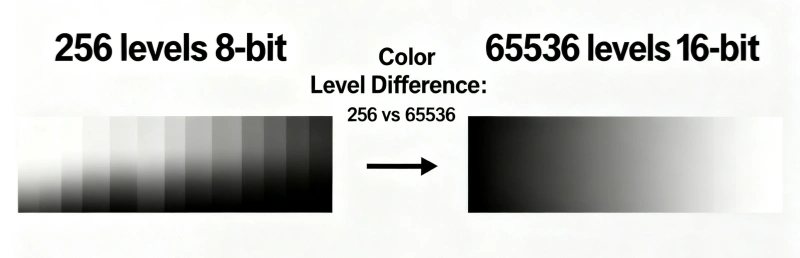
LED displays create colors by combining Red, Green, and Blue (RGB) sub-pixels. Grayscale defines the number of distinct "steps" or brightness levels each of these sub-pixels can achieve.• Bit Depth: Grayscale capabilities are expressed in bits (e.g., 8-bit, 14-bit, 16-bit).
• Calculation: Grayscale Levels = 2^n (where n = bit depth),for example: an 8-bit screen offers 2⁸ (or 256) steps of brightness per color.
2.Common Grayscale Levels
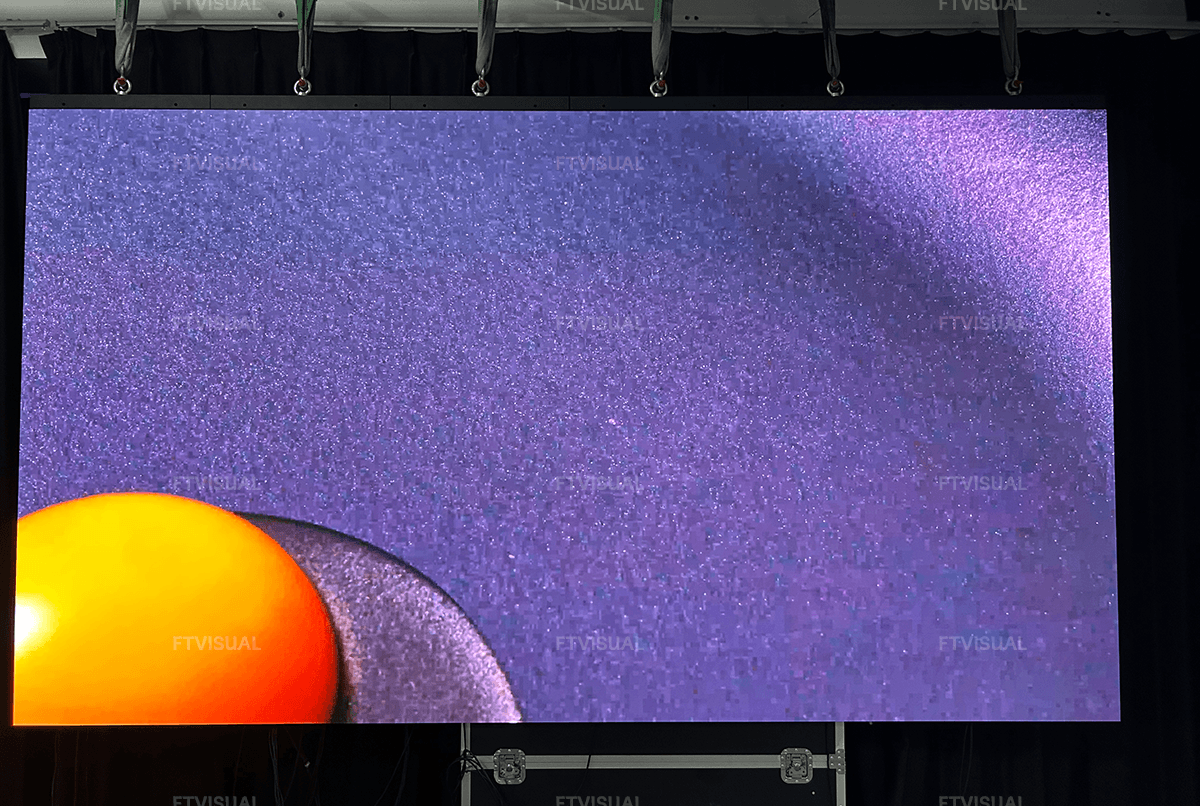
• 8-bit (256 levels): Produces 256 steps per color, resulting in about 16.7 million total colors (256 × 256 × 256). This is common for basic indoor signs but can result in "color banding" on gradients.• 10-bit (1,024 levels): Offers over 1 billion total colors. It is the baseline for high-definition video and broadcast applications, providing significantly smoother gradients.
• 14-bit to 16-bit (16,384 to 65,536 levels): The standard for premium commercial screens, rental stages, and broadcast environments. It ensures highly realistic images, even in dark or deeply shadowed scenes.
3.Why Grayscale Matters?
• Color Depth: A higher grayscale means richer, more nuanced colors.• Gradient Smoothness: High grayscale prevents unnatural, blocky transitions between colors (called color banding).
• Detail in Dark Areas: A screen with excellent grayscale processing keeps details visible in dark shadows and low-light environments rather than rendering them as pure, muddy black.
4.Factors That Affect Grayscale in LED Screen
The key variables that directly impact the grayscale performance of an LED display include:4.1. Driver IC and Processing Bit Depth
The hardware processing capacity, specifically the LED driver IC, is the foundation of grayscale.
• Bit Depth Expansion: Standard screens might use 8-bit processing (256 levels), whereas premium displays use 14-bit or 16-bit processing (16,384 levels), creating incredibly smooth gradients and rich tones.
4.2. Pulse Width Modulation (PWM) and Refresh Rate
PWM manages the brightness of individual pixels by rapidly turning them on and off.
• High-Frequency Switching: Displays using high-frequency PWM (like S-PWM) preserve intricate grayscale tones even when the physical brightness is dialed down. Lower refresh rates can cause visible flicker and noise, which degrades the perceived grayscale.
4.3. Screen Brightness Levels
There is a trade-off between peak brightness and grayscale fidelity.
• Dimming Effects: When you dramatically lower a screen’s brightness (e.g., to 4% for indoor broadcast), the display can lose available quantization steps, leading to visible banding or unnatural transitions. High-bit processors are required to maintain deep contrast at lower brightness.
4.4. Calibration and Algorithms
Even with premium driver ICs, how the system handles the data matters.
• Gamma Correction & Dithering: Because the human eye perceives brightness non-linearly, advanced control systems use mathematical algorithms like Gamma correction or dithering to artificially expand effective data bits. This optimizes visual color mixing and smooths out gradients without changing the physical hardware.
4.5. Panel Uniformity and LED Chip Quality
If the physical LEDs or panel components are inconsistent, the perceived grayscale will suffer.
• Chip Consistency: Using LEDs with highly uniform brightness and narrow wavelength tolerances guarantees that the transitions between shades remain smooth and accurate across the entire display.
4.6. Power Supply Stability
Unstable or fluctuating voltage and current can cause irregular brightness steps, which heavily degrades performance in low-gray areas.
5.Common Grayscale Issues and Causes
• Color Tints (Color Cast):Grays appear tinted blue, green, or magenta. This is usually caused by incorrect RGB offset/gain settings in the monitor's menu or a skewed native white point.
• Crushed Blacks:
The darkest grays blend completely into pure black, losing shadow detail in dark scenes. This is caused by the brightness/black-level being set too low.
• Slightly Washed Out (Elevated Blacks):
Blacks look more like a dark gray. This is caused by the brightness set too high or an incorrect HDMI output range (e.g., source set to "Full" but display expects "Limited").
• Banding/Gradation Issues:
Smooth gradients of gray break into distinct, chunky stripes. This can be caused by bit-depth limitations, heavy GPU-side color profiling, or an incorrect color mode (e.g., using a 4:2:2 chroma subsampling on a PC desktop).
• Incorrect Gamma (Flat/Over-exaggerated Contrast):
Midtones are either too dark or too bright for the surrounding environment. This is caused by an uncalibrated EOTF/Gamma curve.
6.How to Choose the Right Grayscale for led screen?
Selecting the ideal grayscale depends on your specific installation type:• Basic Commercial & Outdoor Displays (8-bit to 12-bit):
8-bit provides 256 levels of gray, which is generally fine for standard text or simple graphics. However, for better color accuracy outdoors, 10-bit (1,024 levels) to 12-bit (4,096 levels) systems are recommended to balance performance and bandwidth.
• Indoor Meeting Rooms & Retail (10-bit to 14-bit):
People view indoor screens up close. To avoid banding and ensure natural color transitions, choose systems processing at least 10-bit to 14-bit (16,384 levels).
• Film Sets, Broadcast Studios & Live Events (16-bit):
Cameras pick up color banding and loss of shadow detail easily. For vibrant, true-to-life shading and exceptional detail in dark scenes, you need 16-bit (65,536 levels) or higher.
• Pair with High Refresh Rates:
Grayscale performance relies heavily on your screen's refresh rate. Ensure your display is set to a high refresh rate (e.g., 3,840 Hz or 7,680 Hz) to eliminate flicker and maintain stable grayscale performance
FTV video wall Solutions
Ftvisual stands for Future Trends Visual Solutions. We offer professional LED screen solutions to fit various screen needs, you can browse below:Indoor LED Wall: Super fine pitch, great visual, work for DCI-P3 Wide Color Gamut
Outdoor LED Screen: High brightness, great visual, and super robust design.
Rental LED Screen: Easy and fast to set-up, robust& reliable design.
Creative LED Screen: Customized LED Walls with various shapes.
For more solutions and customization, please be free to contact us.